AI workflow automation combines traditional trigger-and-action automation with AI models that can read, decide, and act on unstructured information emails, documents, images, free-text requests not just structured data. In practice: a trigger starts the process, an AI step reads and interprets the input, and the workflow routes, decides, or acts based on what the AI understood, without a person manually reviewing every case
Doing the same tasks manually between different applications takes a lot of time each week and tires out teams in busy companies. Modern businesses are quickly moving from basic trigger-based setups toward AI workflow automation systems capable of handling complex decisions, not just transferring simple data. This evolution in how we do work allows your team to get rid of tedious busywork, relying on smart tools and advanced systems to handle the hard work.
What Is Workflow Automation? (And How AI Changes It)
When it comes to finding out what workflow automation is, the core part is about performing repetitive tasks using a straightforward approach of “trigger then action.” To better understand this, it is useful to separate a process (the high-level business goal) and a workflow (the exact sequence of steps taken to get there).
Process vs Workflow Quick Comparison
| Element | Process (The “What”) | Workflow (The “How”) |
| Definition | The overarching business objective or goal | The sequential steps taken to execute that goal |
| Example | Customer onboarding lifecycle | Generating folders, sending emails, assigning tasks |
| Nature | Strategic and outcome-driven | Tactical, structured, and repeatable |
AI changes how things work by introducing a real thinking process between what happens and what actions to take. Instead of only using strict data formats, modern AI systems can understand messy and disorganized information, like free-text emails, cluttered PDFs, and customer support messages.
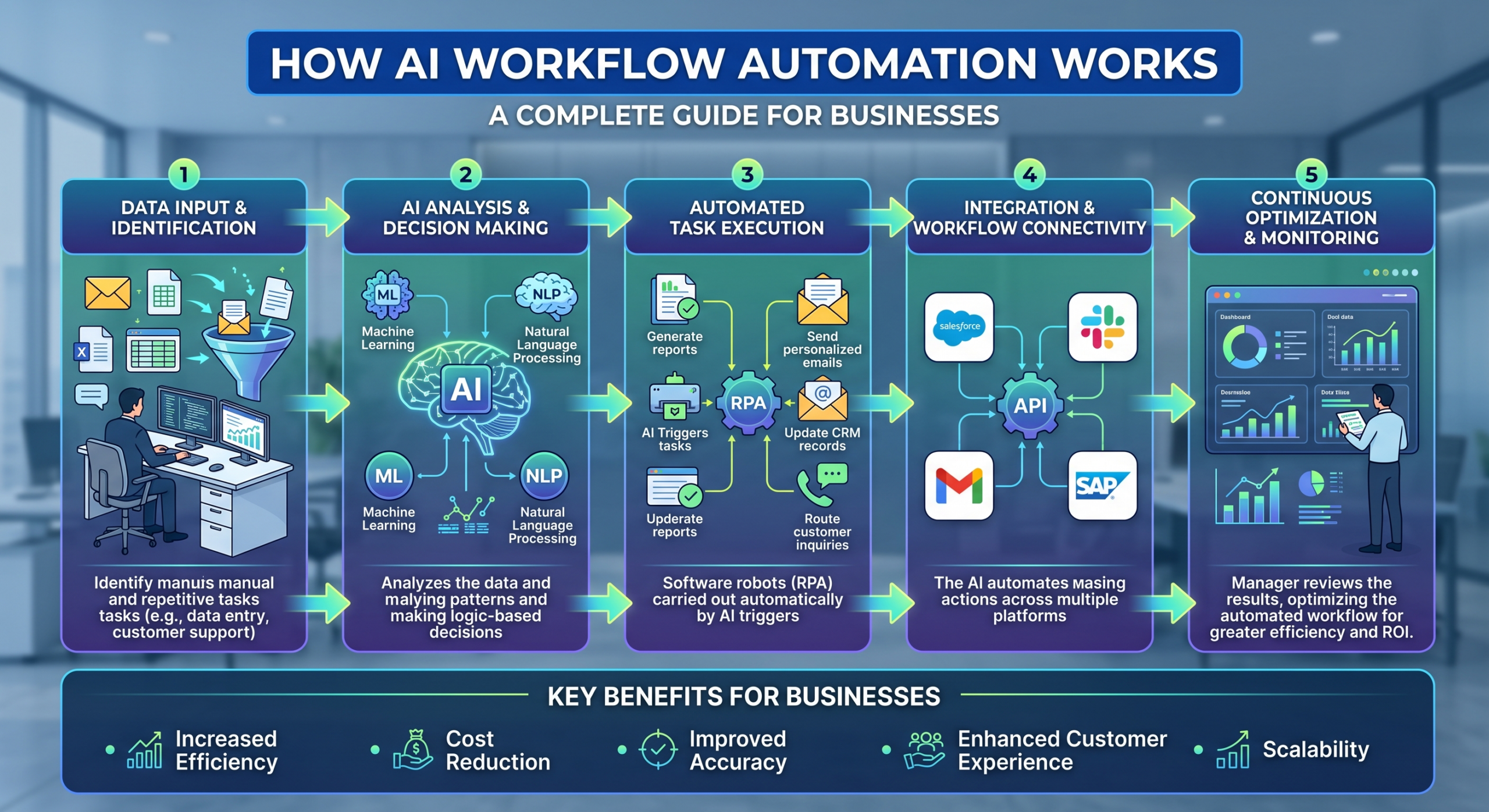
How AI Workflow Automation Works, Step by Step
AI workflow automation requires a long and thorough process that links standard software triggers to cognitive decision-making.
- Trigger: A specific trigger event, like submitting a new lead form, receiving an email, uploading a file, or opening a support ticket, initiates the workflow process.
- AI Interpretation: This step in an integrated AI workflow interprets the data received, capturing the primary intention in support ticket classification, summarization of documents, or drafting contextual replies.
- Decision & Branching: Using rule-based and AI reasoning, the workflow is set to take the right path depending on the understanding by the model.
- Action: The system performs the next step, updating a CRM, informing a team channel, producing a document, or replying.
- Human-in-the-Loop (Optional): Certain actions with a low confidence level or high stakes get human intervention before being completed.
Simple Flow Diagram: Trigger → AI Step (Read/Interpret) → Decision → Action → (Optional) Human Review
For more information on creating these workflows and setting up your pipelines, read our complete guide on how to create an AI workflow. Creating customized pathways guarantees smooth logic execution from day one for your systems.
AI Workflow Automation vs Traditional Workflow Automation
Traditional enterprise streamlining uses strict rules to trigger actions. It is a strong support for organized data, but it often fails when dealing with unusual cases or messy text. AI doesn’t replace this traditional method; it improves the way things are done so that systems can make more careful decisions.
| Capability | Traditional Automation | AI Workflow Automation |
| Input Type | Structured data only | Structured + unstructured (text, docs, images) |
| Decision Logic | Fixed if/then rules | Rules + AI judgment and context |
| Handling Exceptions | Requires manual human intervention | Can classify and route most exceptions itself |
| Setup Effort | Manual rule-building for every single edge case | Reduces the number of rigid rules you must write |
RPA (Robotic Process Automation) handles repetitive, rules-based tasks exceptionally well, but pairing it with an AI workflow provides the cognitive “brainpower” needed for unpredictable inputs.
Benefits of AI Workflow Automation for Businesses
Embracing effective work automation brings growing benefits to the whole organization.
- Speed: AI helps tasks to keep going without being slowed down by people’s schedules or overflowing email inboxes.
- Accuracy: Having fewer times when people pass work to each other leads to a big drop in mistakes from copying and entering data.
- Capacity: Removing individuals from the task of reviewing things repeatedly allows them to think about more important decisions and interpersonal interactions.
- Scalability: Automated processes help cope with spikes in volumes of support requests, leads, and applications without needing additional hiring.
- Handling Messy Input: Advanced workflow automation tools can handle free-text emails, PDFs, and customer messages, which older systems could not.
Discover how workflow automation solutions from Gen6 can make the life of your team much easier by automating routine tasks.
Real-World Use Cases by Department
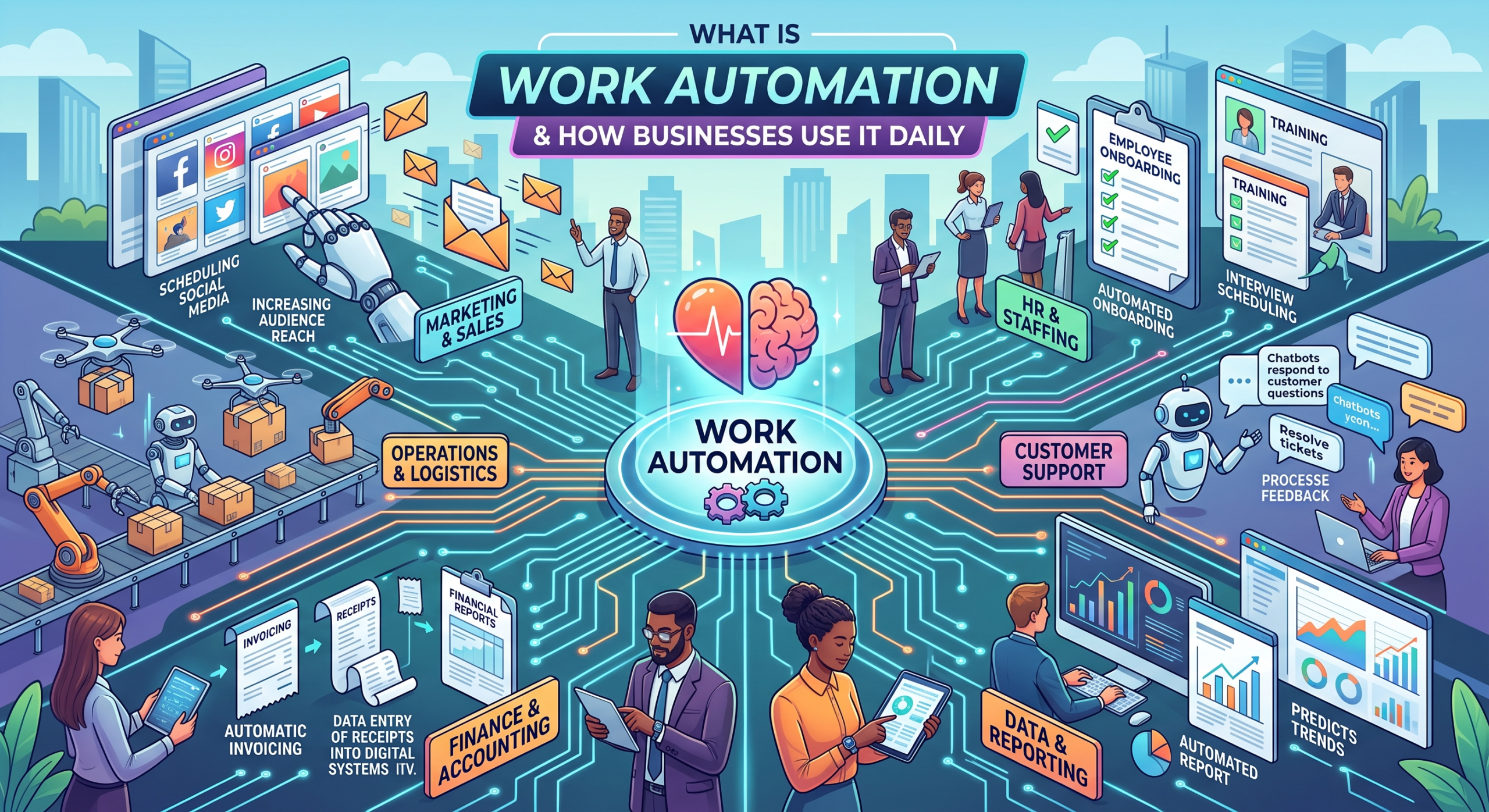
Various departments use cutting-edge automation software to get rid of repetitive administrative work and speed up the delivery process:
- Customer Support: AI analyzes the tickets received, assesses their urgency, writes an initial response, and forwards complicated tickets to human experts.
- Sales: AI qualifies inbound the text of leads received and inputs information into CRM systems.
- Operations: AI collects information from messy invoices, contracts, or PDFs and puts it into the correct systems without needing to type it again by hand.
- HR: AI checks new resumes based on job requirements and creates specific interview questions for the selected candidates.
- Marketing: AI labels and organizes incoming leads based on their behavior, starting specific follow-up actions.
To see more practical examples of these applications, read our comprehensive resource on how businesses automate work using AI.
Workflow Automation Software: What to Look For
Finding the right workflow automation software means going beyond mere integration to look for solutions designed for today’s needs:
- Native AI Steps: The platform should allow models to read and reason about steps natively, without depending on awkward third-party extensions.
- Broad Integration Coverage: Your workflow automation tool has to integrate seamlessly with all the tools your organization currently uses (CRM, helpdesk software, email software, and spreadsheets).
- Human-in-the-Loop Controls: Internal approval gates become necessary to ensure security for sensitive actions.
- Visibility and Monitoring: Detailed logs and dashboards give visibility into where exactly a workflow worked or didn’t work, or needed human interaction.
- Ease of Iteration: Team members who aren’t technical should be able to adjust workflows without slowing down the engineering team’s work.
Explore software capabilities further in our in-depth resource covering what workflow automation software is.
How to Start Automating Your Business Workflows
Starting your business workflow automation journey does not mean an immediate revolution. Adopt a process from discovery to expansion:
- Audit Your Tasks: Identify repetitive cross-application tasks and those that require reading unstructured data; these are best for using AI processes.
- Pick One Process: Begin by automating a single process instead of trying to automate an entire department right away.
- Map the Steps: Know the triggers and possible decision points involved before creating your process in software.
- Build and Test: Construct the workflow, test it with real or example data, and have a step where a person reviews important actions.
- Expand Outward: After your first AI task works well, use the same approach for similar tasks.
Common Mistakes to Avoid
Even with great technology available, it’s easy to make mistakes if you don’t use automation correctly. Remember these mistakes:
- Automating a Broken Process: Speeding up a flawed procedure only creates errors faster. Fix the workflow process first before moving forward with automation.
- Skipping Human Oversight: High-stakes or customer-facing processes that aren’t monitored can end up being very expensive.
- Trying to Boil the Ocean: Automating everything at once will usually result in burnout and abandoned projects. Start with something smaller.
- Ignoring Maintenance: Automations may go out of date as forms, APIs, and formats change. Consider them live systems.
Conclusion
Automating AI workflows changes how modern businesses work, turning routine manual tasks into intelligent systems. By combining intelligent reasoning with the usual triggering mechanism, businesses can achieve exceptional speed and accuracy across all departments.
Gen6 delivers intelligent workflow automation that turns unstructured data into actionable results, empowering your team to scale.
FAQs
1. What is AI workflow automation?
Using artificial intelligence to handle complex judgment calls within automated business sequences.
2. How does AI workflow automation work?
Triggers initiate steps where AI reads unstructured inputs, makes decisions, and takes actions.
3. What’s the difference between workflow automation and AI workflow automation?
Traditional automation uses rigid rules; AI automation handles unstructured data and nuanced judgment.
4. What are the benefits of AI workflow automation?
Increased speed, higher accuracy, enhanced capacity, and seamless scalability.
5. Which business tasks can AI workflows automate?
Customer support ticketing, lead qualification, document extraction, and resume screening.
6. How do I build my first AI workflow?
Audit tasks, select one process, map steps, test with data, and expand outward.