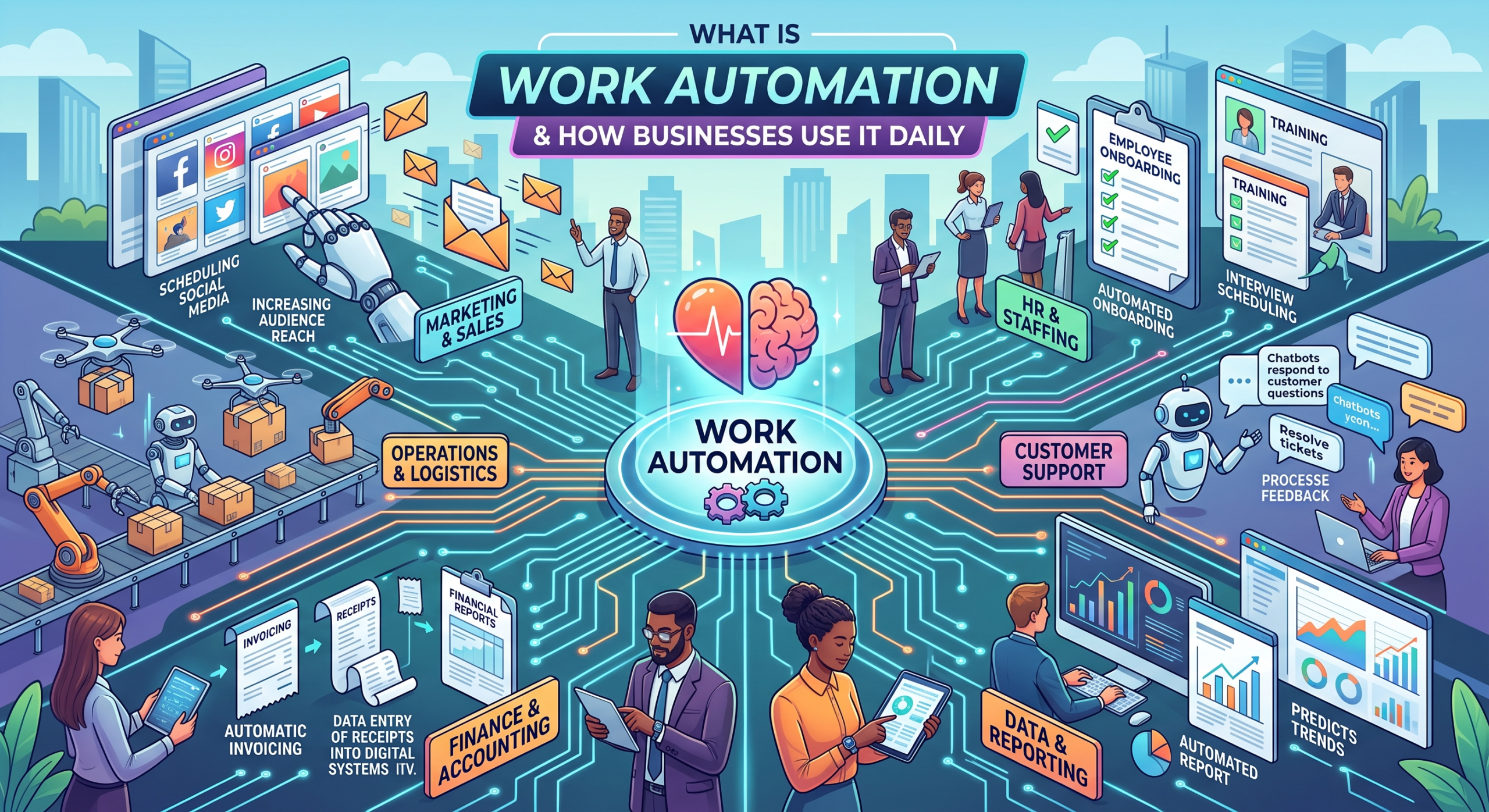
Work automation is the use of software, including AI workflow automation, to handle repeatable business tasks without manual effort. Businesses automate work daily across marketing, sales, support, and finance: routing leads, syncing CRM data, sending invoices, and triggering follow-ups the moment a trigger event happens using modern work automation tools.
Work automation can be the quickest way to reduce manual data entry, repetitive admin tasks, and friction caused by non-integrated software applications. If your workers are wasting time pasting customer details on their computer screens, then you understand the pain. Automating daily tasks lets staff focus on strategy rather than manual work with modern workflow automation.
What Is Work Automation?
Work automation uses software to perform repetitive tasks between different web applications automatically, without needing people to do them. This makes work easier and reduces unnecessary administrative tasks.
- Core Foundation: Operates on trigger-and-action logic, where a specific event in one application instantly initiates a pre-set action in another.
- Scope & Scale: Works as the main idea of linking different department tasks throughout the whole company.
- Human Oversight: Reduces the need for people to move data around and deal with routine problems, while still allowing humans to make important decisions and use their judgment.
By establishing this connected system, companies can easily link different software programs. For more information on how teams develop on that foundational basis utilizing intelligent systems, see our guide on How Businesses Automate Work Using AI.
Work Automation vs Workflow Automation: What’s the Difference?
It’s easy to get confused by terms like “process,” “workflow,” and “automation,” but comprehending their differences will assist you in creating more effective operational systems:
- The Process: This is the big-picture “what.” For example, how your company handles client invoicing from start to finish.
- The Workflow: This is the specific “how” — the step-by-step route your team takes to execute that process across different applications.
- Workflow Automation: This targets a single, specific workflow, like automatically generating an invoice when a deal closes.
- Work Automation: This is the overarching philosophy and practice of connecting multiple workflows across an entire business.
When you start linking several routines together, you move from basic task-triggering into corporate streamlining and holistic AI-powered orchestration.
How Work Automation Actually Works (When This, Do That)
Every automated sequence has a simple setup: it starts with an event (the trigger) followed by an immediate result (the action). You can easily automate tasks in your business once you simplify the processes.
- Basic Pattern: When a new lead submits a contact form (Trigger), immediately send a notification to the sales channel (Action).
- AI-Enhanced Pattern: Modern AI workflow automation brings context reasoning to this simple setup. Rather than following any predetermined rules, the embedded AI technology interprets incoming customer emails and decides which step to take depending on their content.
If multi-step automations consist of several connected steps, like alerting a channel, entering data into the database, and sending a personalized email, the business process will work effortlessly. Learn more about these setups in our guide on How to Connect Business Apps Using Workflow Automation.
How Businesses Use Work Automation Every Day (By Department)
Implementing operational streamlining spans every operational layer. No team is too small to benefit; any daily, repetitive task across software applications qualifies.
| Department | Daily Tasks Automated |
| Marketing | Lead capture and routing, subscriber segmentation, campaign reporting, data cleanup. |
| Sales | Prospect follow-ups, demo scheduling, CRM pipeline updates, contact record syncing |
| Customer Support | Ticket routing, response notifications, escalation alerts, satisfaction survey triggers |
| Accounting/Finance | Invoice creation, expense report filing, payment-status updates, signature collection |
| eCommerce | Order fulfillment handoffs, failed-payment alerts, review requests, mailing list adds. |
| Project Management | Task assignment, deadline reminders, status reports, time tracking |
Selecting the right work automation tools allows teams across these departments to reclaim hours of operational capacity weekly. See our breakdown of top Business Tasks to Automate With AI.
Real Examples: Automate Daily Tasks With “When X, Do Y” Workflows
Implementing small logic chains creates compounding time savings every single week. Here is how companies automate daily tasks using straightforward patterns:
- When a new prospect fills out a website form → Do add their contact record directly to the CRM and notify the sales team.
- When a deal stage updates to “Closed-Won” → Do draft an invoice and email a contract for signature.
- When a payment process fails → Do alert accounting instantly and issue a follow-up email to the client.
- When a file arrives in a shared drop folder → Do store a secure backup and alert team members.
- When a support ticket is marked “High Priority” → Do escalate the issue and page the on-call support rep.
Integrating smart AI capabilities directly into these logic loops eliminates administrative delays across your entire organization.
Business Workflow Automation vs Manual Work: The Real Cost
Relying on manual processes introduces hidden costs, human errors, and response bottlenecks. Switching to systematic business workflow automation changes key operations:
| Task / Metric | Manual Process | With Work Automation |
| Cross-App Data Entry | Manual copy-pasting, frequent typos | Instant automatic sync, zero re-typing |
| Lead Response Time | Hours (dependent on staff availability) | Immediate, 24/7 routing |
| Status Reporting | Manually compiled spreadsheets | Auto-generated on a scheduled basis |
| Staff Capacity | Wasted on repetitive data movement | Redirected toward strategic growth tasks |
Manual friction takes up time and distracts employees. Automating simple and routine tasks saves time and money right away.
Choosing the Right Work Automation Tools
Selecting software requires looking beyond basic connectivity. Focus on software that comes with easy-to-use tools, has a variety of applications, and AI capabilities.
- High Volume: Target processes performed dozens of times daily.
- Cross-System Friction: Focus on workflows that require manually moving data between apps.
- Low Judgment: Start with tasks driven by simple logic rules rather than complex decisions.
Modern software solutions powered by AI workflow automation read unstructured text, summarize documents, and draft accurate responses, giving traditional setups a powerful upgrade.
How Gen6 Helps You Automate Work With AI
Gen6 brings an intelligent decision layer to traditional operational software. Rather than just shifting data between systems, Gen6 evaluates contextual information to make real-time routing decisions.
Whether streamlining lead intake, expediting invoice handling, or triaging support tickets, Gen6 handles complex business logic automatically. We help teams automate work effortlessly across their software stack.
Start Automating Your Work With Gen6 Today
Conclusion
Embracing work automation changes how we do our daily tasks by making things easier and more connected instead of doing everything by hand. By using smart tools to take care of repetitive data tasks, your team can focus more on growing the business. Begin by finding your biggest problem areas in how you work today, and use modern tools to help your business grow.
Gen6 delivers the smartest work automation by seamlessly connecting your apps and eliminating admin friction to accelerate growth.
FAQs
1. What is work automation?
Using software to execute repeatable tasks between web applications without manual intervention.
2. How do businesses use work automation daily?
To route leads, sync CRM data, trigger invoices, and automate cross-departmental communications.
3. What tasks can be automated at work?
Data entry, lead capture, ticket routing, invoice creation, and status reporting.
4. What’s the difference between work automation and workflow automation?
Workflow automation targets single processes, while work automation connects multiple workflows across the business.
5. Is work automation the same as AI automation?
No, work automation handles execution rules, whereas AI automation adds contextual reasoning.
6. Which departments benefit most from work automation?
Marketing, sales, customer support, finance, eCommerce, and project management.