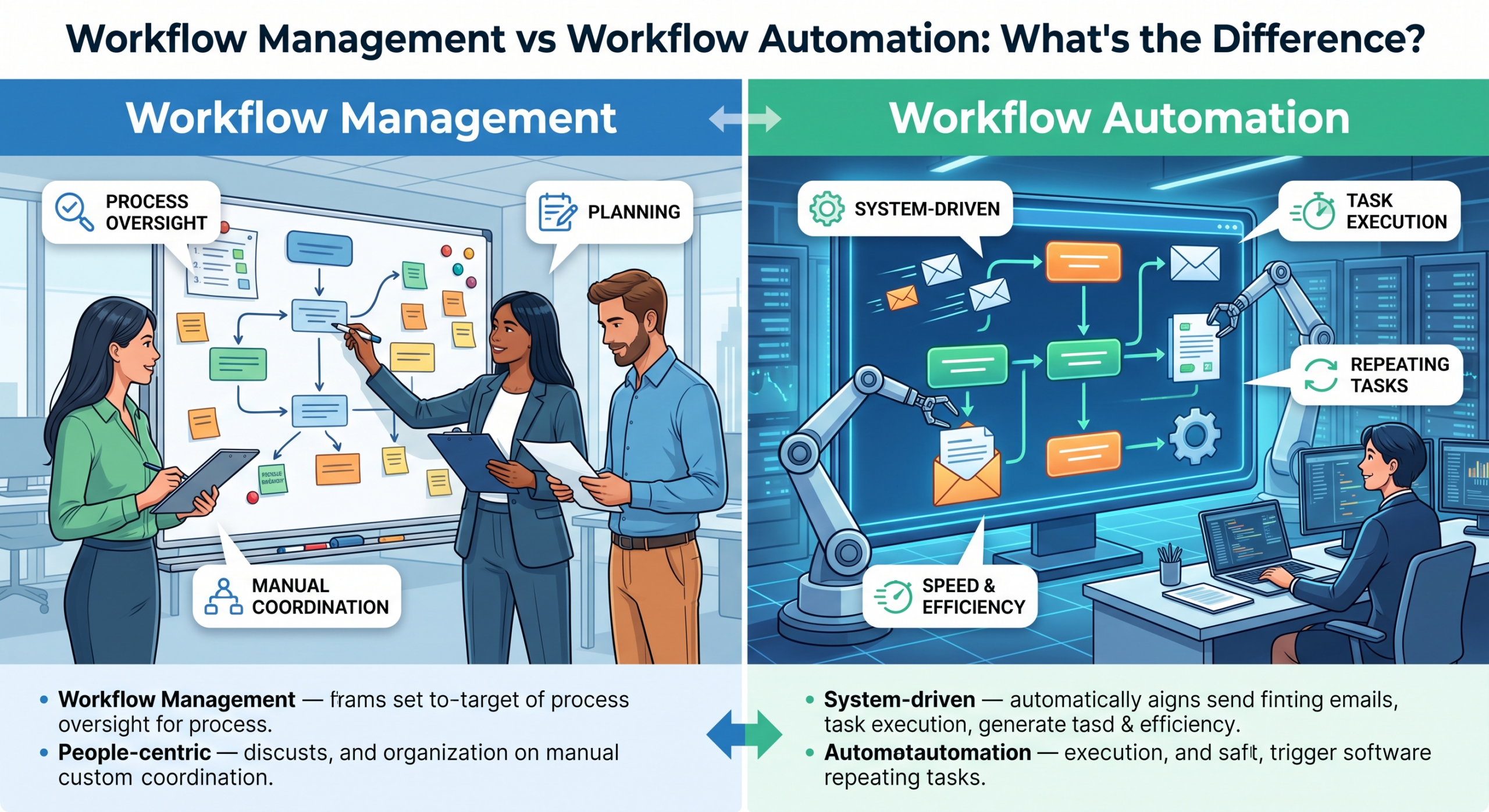
Workflow management focuses on the human side of planning, coordinating, and tracking how work moves between team members. Workflow automation focuses on the technical side, removing the “human” factor by using software rules to execute repetitive, predictable tasks automatically. In short, management organizes the process, while automation executes the steps within it.
Although many teams use the terms workflow management vs workflow automation interchangeably, these processes fulfill two completely different purposes. Misunderstanding the difference between them can lead to choosing the wrong tools and to automating processes prematurely. To become successful, companies should learn how these two techniques can benefit each other.
What Is the Definition of Workflow Management?
Workflow management is actually “the oversight layer of your business.” It refers to the process of managing, coordinating, monitoring, and improving the work that moves between various individuals and steps. When you focus on management, your primary concern is visibility:
- Who is actively working on what?
- Where is the project currently stuck?
- Are we meeting our critical deadlines?
A robust workflow management system enables teams to chart out complex processes, recognize task interdependencies, and ensure accountability. This is crucial when a process involves human elements of decision-making, creativity, or authorization at various stages. Without this layer, work can get disorganized, causing teams to not communicate well and miss important transitions.
For more on how to structure these systems, see our guide on what a workflow management system is.
What Is the Definition of Workflow Automation?
If management is the strategy, then workflow automation software is the implementation layer. Through the use of rules, triggers, and logic, processes that are repetitive and rule-based can be done automatically without any manual intervention. Automation works best where there is predictability, for example, transferring data from one form to the database, sending out email campaigns, or updating the status of the record.
Through the implementation of proper automation tools, you can eliminate “busy work” that takes your team’s energy. Instead of copying information from a spreadsheet to an email by hand, automation does it in seconds, which greatly lowers the chance of mistakes.
To explore the software landscape, read our guide on what workflow automation software is.
Workflow Management vs Workflow Automation
To better understand the difference between workflow management and automation, review the comparison table below:
| Attribute | Workflow Management | Workflow Automation |
| What it does | Coordinates people, tasks, and process visibility | Executes repetitive steps automatically |
| Who it’s for | Teams/managers overseeing multi-step processes | Ops/IT reducing manual, rule-based work |
| Scope | Strategic + operational oversight | Tactical + execution |
| Example tool type | Workflow management system | Automation/rules engine |
| When to use | Complex, people-dependent processes | Predictable, repeatable tasks |
Understanding this structural boundary is the key to scaling your operations effectively.
When Do You Need Each One?
Deciding between these two methods depends on where your biggest problems are.
Choose Workflow Management If:
- You suffer from a “black box” problem: Tasks go into a department, but no one knows who is doing what or when it will be done.
- Human judgment is required: This process includes getting approvals, doing creative work, or making choices that are based on personal opinions, which computers can’t do.
- Work involves multiple departments: You need to share tasks clearly with everyone responsible at each step.
Choose Workflow Automation If:
- Your team is buried in copy-paste work: Workers spend a lot of time moving information between online forms, customer management systems, and accounting tools.
- Deadlines drop due to simple oversights: Forgetting to send a reminder email or notify a reviewer can slow down projects that take several days.
- The process is 100% predictable: Standardized inputs always lead to identical outputs.
If you are evaluating market options for your team, check out our guide on the best workflow management software to evaluate top solutions side by side.
How They Work Together: Management + Automation Combined
True power comes when you stop thinking of these two ideas as just one or the other. The strongest organizations create their processes by adding automation within a clear management structure.
When combined:
- Management sets the rules: Defines who owns each step, sets SLAs, and tracks overall throughput.
- Automation powers the hand-offs: Instantly triggers notifications, moves data across tools, and handles repetitive tasks between stages.
Modern platforms bridge this gap seamlessly. Instead of stitching together separate tools for tracking and task triggers, Gen6’s workflow management software brings orchestration and intelligent automation into a single interface.
FAQs
1. What is the difference between workflow management and workflow automation?
Management controls people and activities during the process, whereas automation accomplishes repetitive tasks without the need for any human being to control them.
2. Is workflow management the same as workflow automation?
No, management is all about coordinating and planning, whereas automation is all about task accomplishment.
3. Do I need both workflow management and automation?
Yes, putting them together lets you keep an eye on things while the software takes care of repetitive tasks and moving data.
4. What is a workflow management system?
It’s a tool that assists in organizing work by showing steps, assigning tasks to people, tracking how tasks depend on each other, and making sure everyone is responsible for their work.
5. Which is better for small businesses: workflow management or automation?
Both are important, but you usually need to handle things first to organize how they work before you can automate the repetitive tasks.
6. Can one platform do both workflow management and automation?
Yes, modern business platforms incorporate management and automation functionality into one intuitive solution.
Ready to Manage and Automate Your Workflows in One Place?
Don’t choose between oversight and efficiency. Streamline your team’s end-to-end operations with Gen6 workflow management software.